AI Data Collection
English · 한국어
TIM51001 · Data Collection and Analysis
Collecting artificial intelligence research papers and patents with Codex. These two tutorials end with downloaded records and a collection log. Statistical analysis and full-text acquisition are outside their scope.
Available data and export limits depend on your institutional subscription and account permissions.
1. Web of Science papers · 2. EPO PATSTAT patents
1. Collect AI papers from Web of Science
Establish access and create an account
UNIST students should enter Web of Science through the university library. Institutional access and a personal Web of Science account serve different purposes. Library authentication provides access to subscribed resources; a free personal account alone does not provide a database subscription.
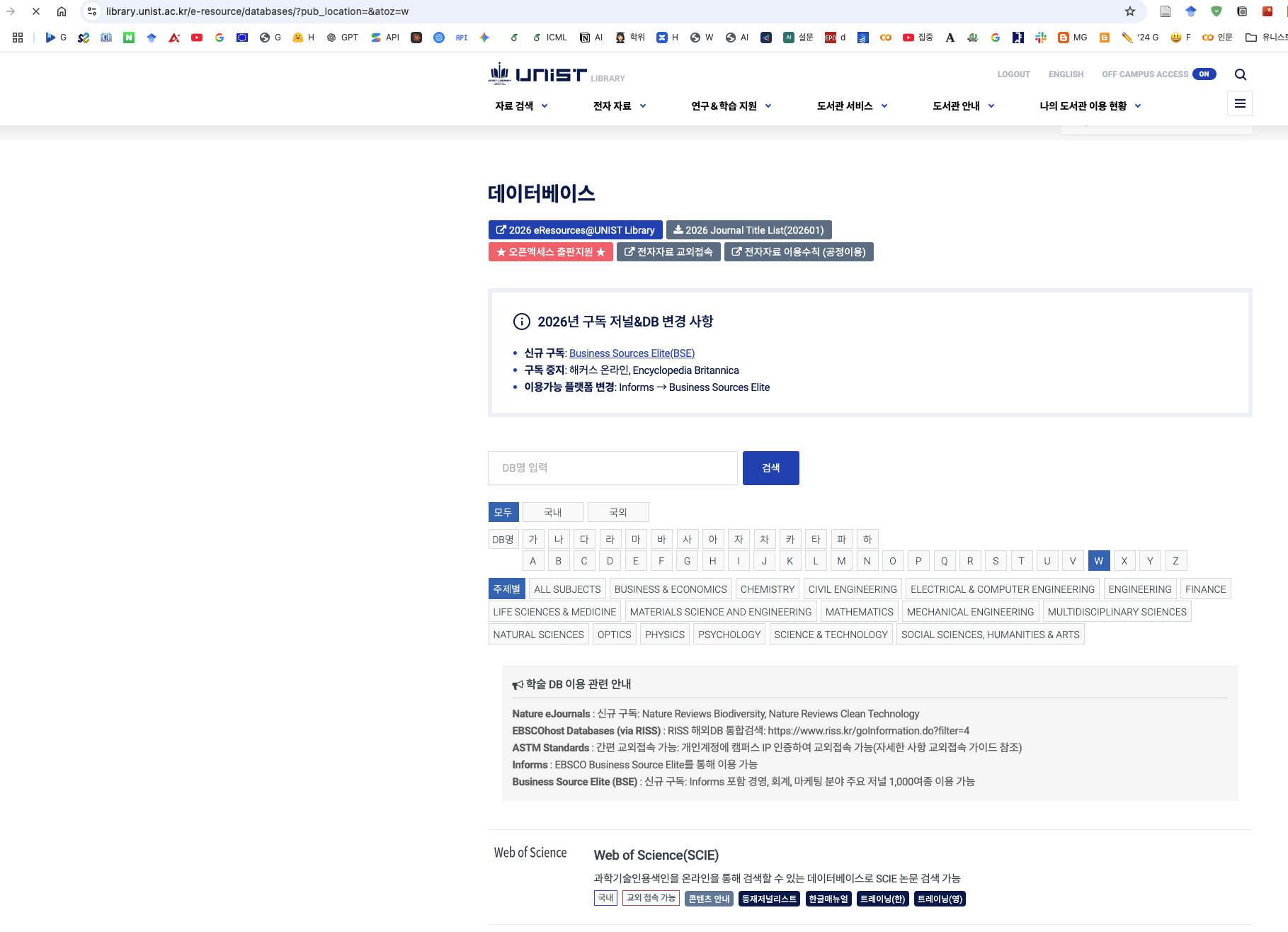
- Open the UNIST Library website and sign in with your UNIST credentials. Select English in the header if preferred.
- Go to Electronic Resources and then Databases, or open the database list filtered by W.
- When working off campus, follow the library's Off Campus Access procedure before opening the database. Check that the status is ON. If access is not active, complete the library's authentication steps first.
- Select W in the alphabetical index or search for Web of Science in the database search box. Find Web of Science(SCIE) in the results and open its database link.
- Continue through the library's redirect to Web of Science so that institutional access is retained. Check that Web of Science Core Collection and the indexes needed for your study are available. If access is denied, return to the library's off-campus access instructions or contact the library.
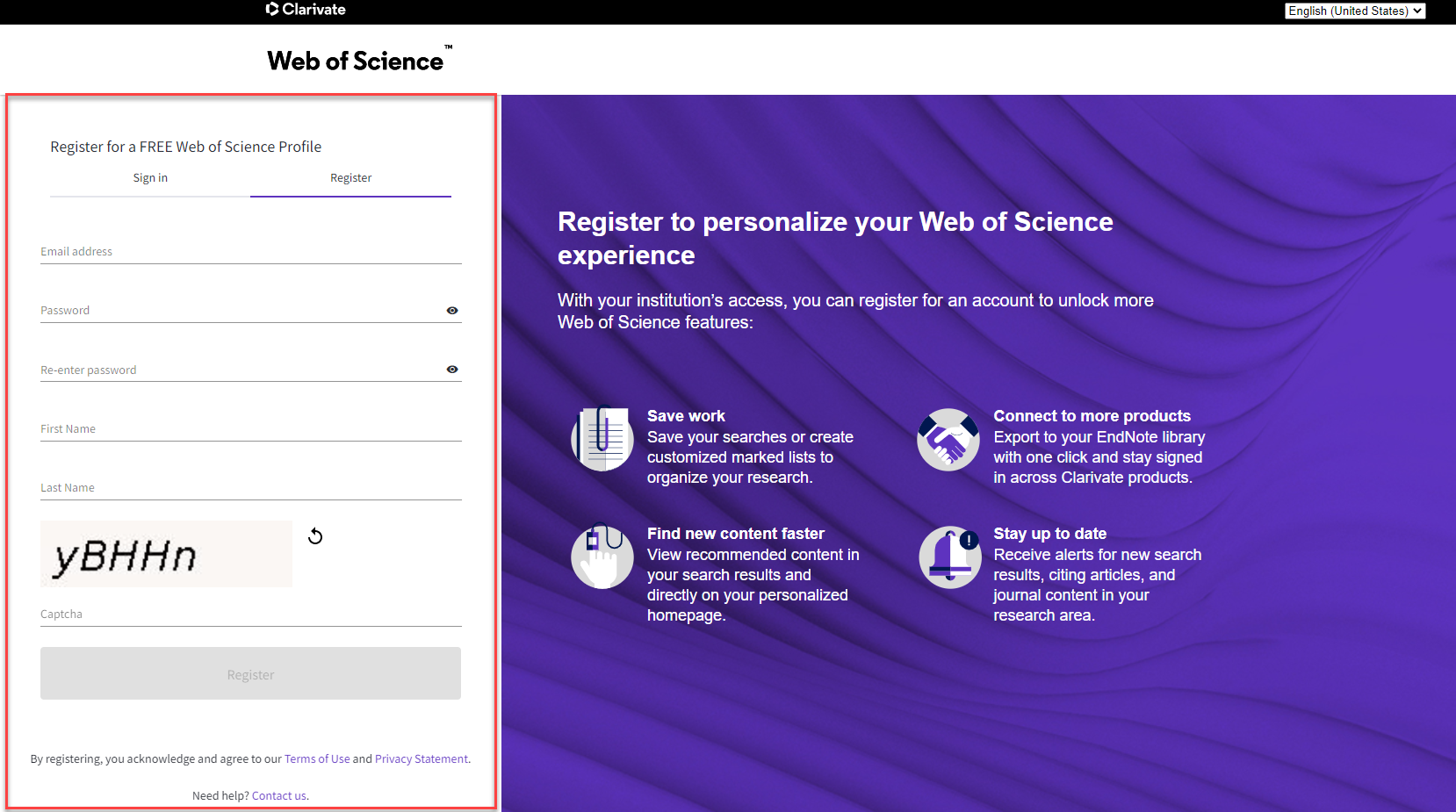
Select Register, enter your email address, name and password, complete the verification step, and activate the account using the email link. Sign in to save searches. Complete passwords and account verification yourself before asking Codex to work in the browser. See Clarivate's registration instructions.
Derive keywords from previous research
Start with Liu, Shapira and Yue (2021), Tracking developments in artificial intelligence research. Their approach combines benchmark papers, keyword refinement and a subject-category search. Read the methods and keyword tables before asking Codex to draft a query. The short teaching example below is not a reproduction of their validated strategy.
- Define your scope. For this exercise, collect AI-related papers published in 2020–2025. Decide whether applications of AI are included and whether conference papers belong in the corpus.
- Extract candidate terms from two or three relevant studies. Record each term, its source DOI or URL, table or page, and your reason for including it.
- Group synonyms with
OR. UseANDonly to restrict the AI set to another concept. Avoid the unqualified abbreviationAI, which has unrelated meanings. - Check a small set of known relevant papers and screen 30–50 retrieved titles and abstracts. Record missed papers and false positives; revise the query before the full export.
| Concept group | Candidate terms | How to document the choice |
|---|---|---|
| Core AI | artificial intelligence | Use the seed concept discussed by Liu et al.; record the exact source location. |
| Learning methods | machine learning, deep learning, neural network, support vector machine | Check definitions and variants against the studies you read. |
| Functional scope | natural language processing, computer vision | Decide whether the whole function or only learning-based work belongs in your study. |
| Optional recent extension | generative AI, large language model | Add only with a newer supporting study. Label this as an extension, not a term set taken from a 2021 paper. |
Ask Codex to organise the evidence before generating syntax:
Read the methods and search-term tables in the papers I provide.
Create a keyword register with term, synonym, source DOI/URL,
page/table and inclusion rationale. Flag ambiguous terms.
Do not invent citations or attribute new terms to older studies.
Using only the terms I approve, draft a Web of Science Core
Collection query for AI papers published in 2020–2025.
Build and check the search expression
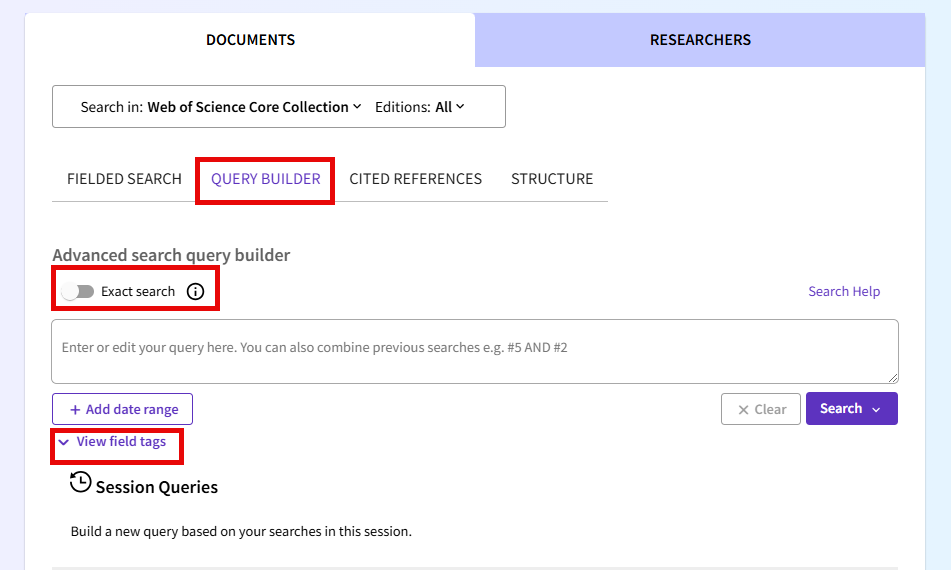
Open Advanced Search → Query Builder. A manageable starter query is shown below. TS searches Topic fields, including title, abstract, author keywords and Keywords Plus; PY sets publication years. Keep the selected citation indexes and document types in your log. AI conference coverage depends on the subscribed indexes. Consult the Query Builder documentation for field tags and search behaviour.
TS=("artificial intelligence" OR "machine learning"
    OR "deep learning" OR "neural network*"
    OR "support vector machine*"
    OR "natural language processing" OR "computer vision")
AND PY=(2020-2025)
For an initial export, change the year range to one year. Expand only after the query and export fields are checked. The example favours clarity over exhaustive coverage; it is a candidate search definition, not a complete census of AI research.
Use Codex to collect and check export batches
Here, browser-assisted collection means asking Codex to operate the search and export controls in an authorised session. Confirm with your library that automation is permitted for your intended volume. Use the provider's export facility where available; a metadata export does not download article PDFs.
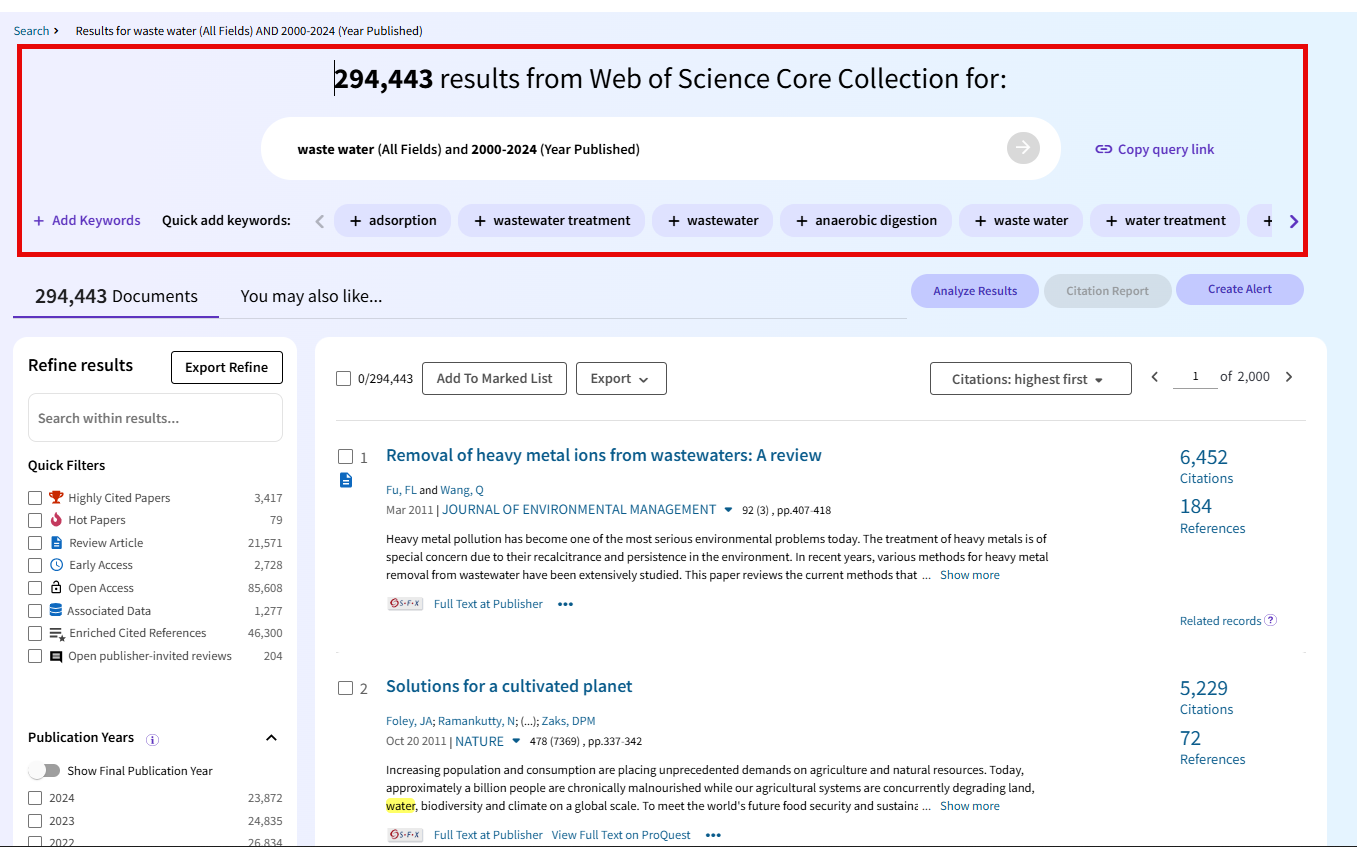
From the results page, choose Export and a format such as plain text or tab-delimited text. Select the fullest record fields available, including cited references if required and licensed. Export one small batch first. Confirm that accession identifiers, titles, abstracts and keywords are present. Use the limit shown in your export dialogue rather than assuming a fixed batch size. Clarivate notes that Fast 5000 includes fewer fields. Export documentation.
Use my authorised Web of Science browser session. I have checked
that this collection is permitted by my institution's licence.
Run the approved AI query and record the query, indexes, filters,
search date, result count and export fields in collection_log.json.
Export one small batch first and check that it contains the required
fields. Then export non-overlapping ranges within the displayed
limit, one at a time, to data/wos/raw/ with numbered filenames.
Keep the downloaded files unchanged. Track each completed range,
row count and file checksum so a failed run can resume safely.
Report missing identifiers, duplicate accession IDs and any gap
between the result count and the exported unique records.
Stop on a login challenge, access denial or download restriction.
Do not bypass limits, extract credentials or scrape publisher PDFs.
Finish with unchanged export files, the final search expression, the keyword register and the collection log. Compare unique Web of Science accession IDs with the recorded search total. DOI is a useful secondary identifier but can be absent. Investigate gaps before calling the collection complete.
2. Collect AI patents from EPO PATSTAT
Create access and select the database edition
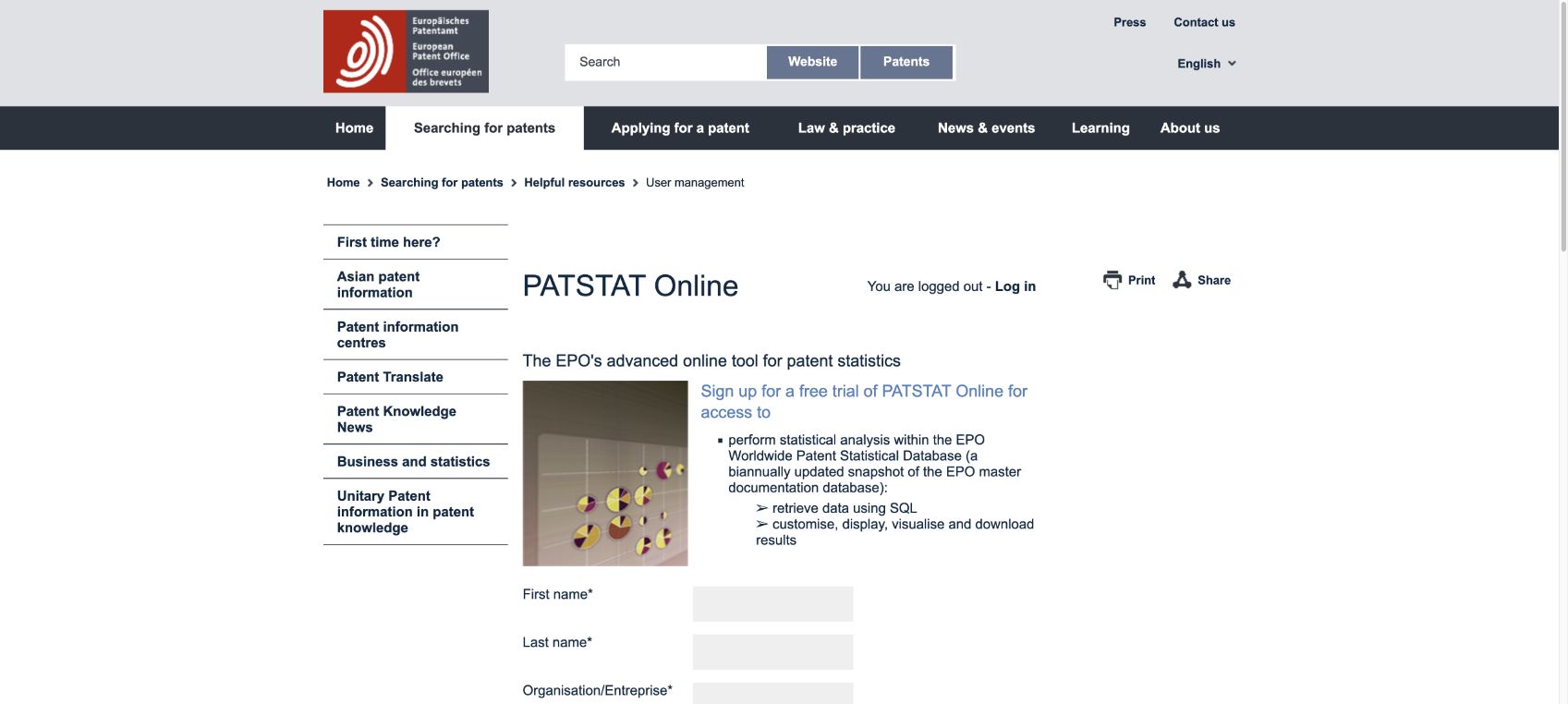
Start at the EPO PATSTAT page. This tutorial uses PATSTAT Online, the subscription-based SQL interface. The EPO also offers PATSTAT through its free Technology Intelligence Platform (TIP), which has a different workflow.
For a first exercise, follow Free trial, complete the registration details and verification yourself, and follow the access instructions you receive. Select PATSTAT Global and record the edition displayed in the session. Trial access has export restrictions; a registered account alone should not be treated as unrestricted access.
Translate a literature-based definition into patent criteria
Use WIPO Technology Trends 2019: Artificial Intelligence and its search methodology as a starting reference. WIPO distinguishes AI techniques, functional applications and application fields, and combines keywords with classification information. Maintain a patent-specific keyword register rather than copying a paper query unchanged.
In that register, distinguish phrases searched in titles or abstracts from IPC/CPC codes. Verify any code against the classification scheme and database edition. For example, a G06N classification search can supply an additional candidate set, but it is neither equivalent to all AI patents nor necessarily restricted to your definition. Document whether you use keywords alone, keywords OR codes, or keywords AND codes. These produce different populations.
The SQL below is an English title/abstract keyword pilot. It does not implement WIPO's full search strategy. Patent metadata coverage varies, and missing English text can exclude relevant applications. Choose filing year deliberately; it differs from priority year and publication year. Recent filing cohorts may be incomplete because publication and indexing take time.
Write and run a bounded SQL query
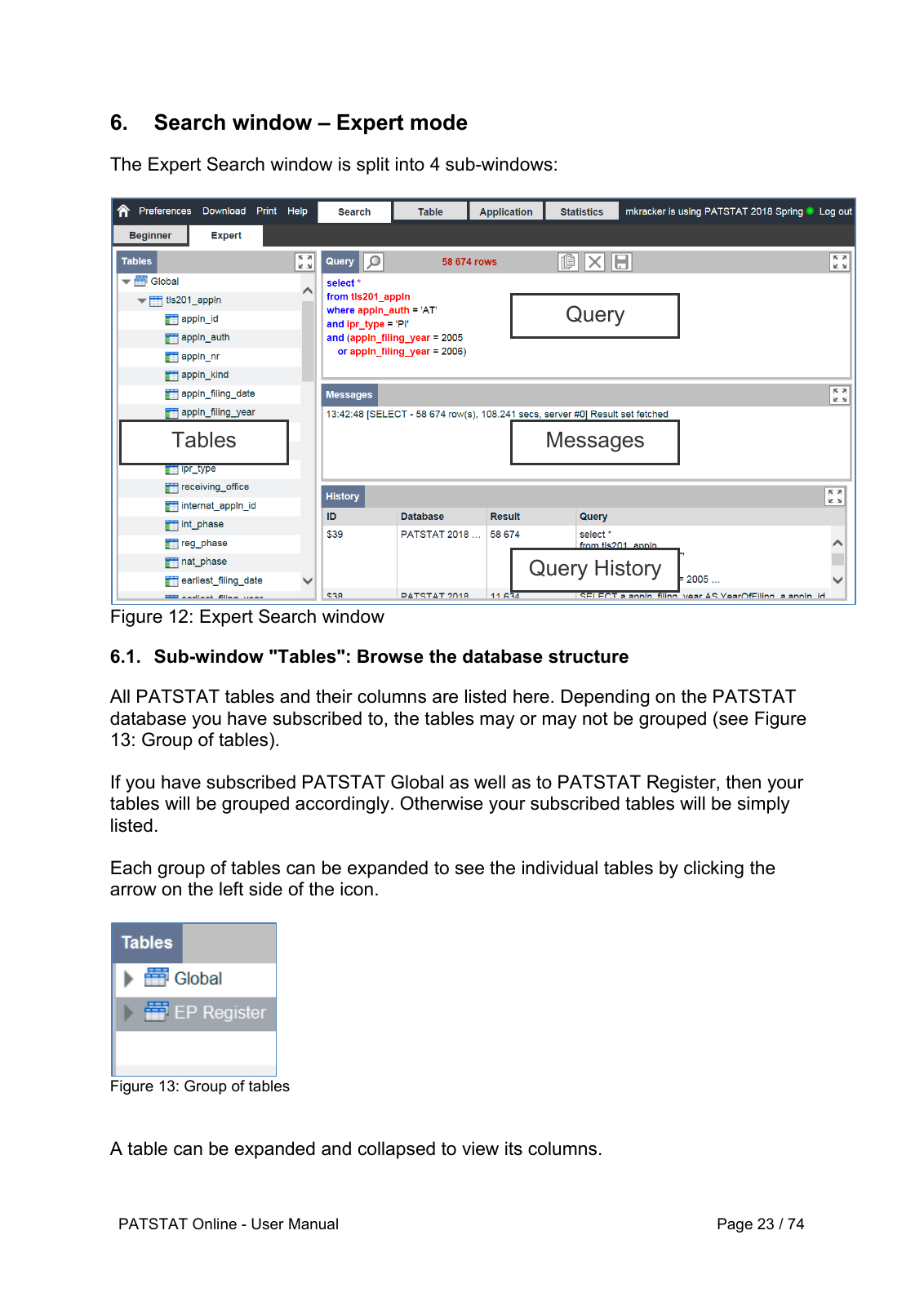
Open Search → Expert. In tls201_appln, appln_id identifies the application and docdb_family_id links related applications. Titles are in tls202_appln_title and abstracts in tls203_appln_abstr. Check these fields in the catalogue for your edition.
SELECT TOP 100
    a.appln_id,
    a.docdb_family_id,
    a.appln_auth,
    a.appln_nr,
    a.appln_filing_date,
    a.appln_filing_year,
    t.appln_title,
    b.appln_abstract
FROM tls201_appln AS a
LEFT JOIN tls202_appln_title AS t
    ON t.appln_id = a.appln_id
    AND t.appln_title_lg = 'en'
LEFT JOIN tls203_appln_abstr AS b
    ON b.appln_id = a.appln_id
    AND b.appln_abstract_lg = 'en'
WHERE a.appln_filing_year = 2020
  AND (
    LOWER(t.appln_title) LIKE '%artificial intelligence%'
    OR LOWER(b.appln_abstract) LIKE '%artificial intelligence%'
    OR LOWER(t.appln_title) LIKE '%machine learning%'
    OR LOWER(b.appln_abstract) LIKE '%machine learning%'
    OR LOWER(t.appln_title) LIKE '%deep learning%'
    OR LOWER(b.appln_abstract) LIKE '%deep learning%'
    OR LOWER(t.appln_title) LIKE '%neural network%'
    OR LOWER(b.appln_abstract) LIKE '%neural network%'
  )
ORDER BY a.appln_id;
TOP 100 is a preview, not the full corpus and not a random sample. LIKE '%...%' matches a character sequence; unlike a bibliographic search engine, it does not expand linguistic variants. Repeat approved terms for both title and abstract. A left join retains applications when one text field is missing.
The PATSTAT Online manual specifies that queries must start with SELECT. Its April 2025 revision removes support for CONTAINS and FREETEXT. This example therefore uses LIKE. This is an untested example; run a small trial against your database edition first. If a query exceeds the server cost limit, narrow the date interval or retrieve fields in smaller stages rather than repeating the same expensive query.
Collect the result table with Codex
Inspect the returned titles and abstracts before extending the pilot. To collect the full chosen interval, remove TOP 100 only after splitting the scope into manageable, non-overlapping date intervals. Save each SQL file with its export. Preserve appln_id and docdb_family_id; multiple applications may belong to the same family. Filing authority is not the applicant's country.
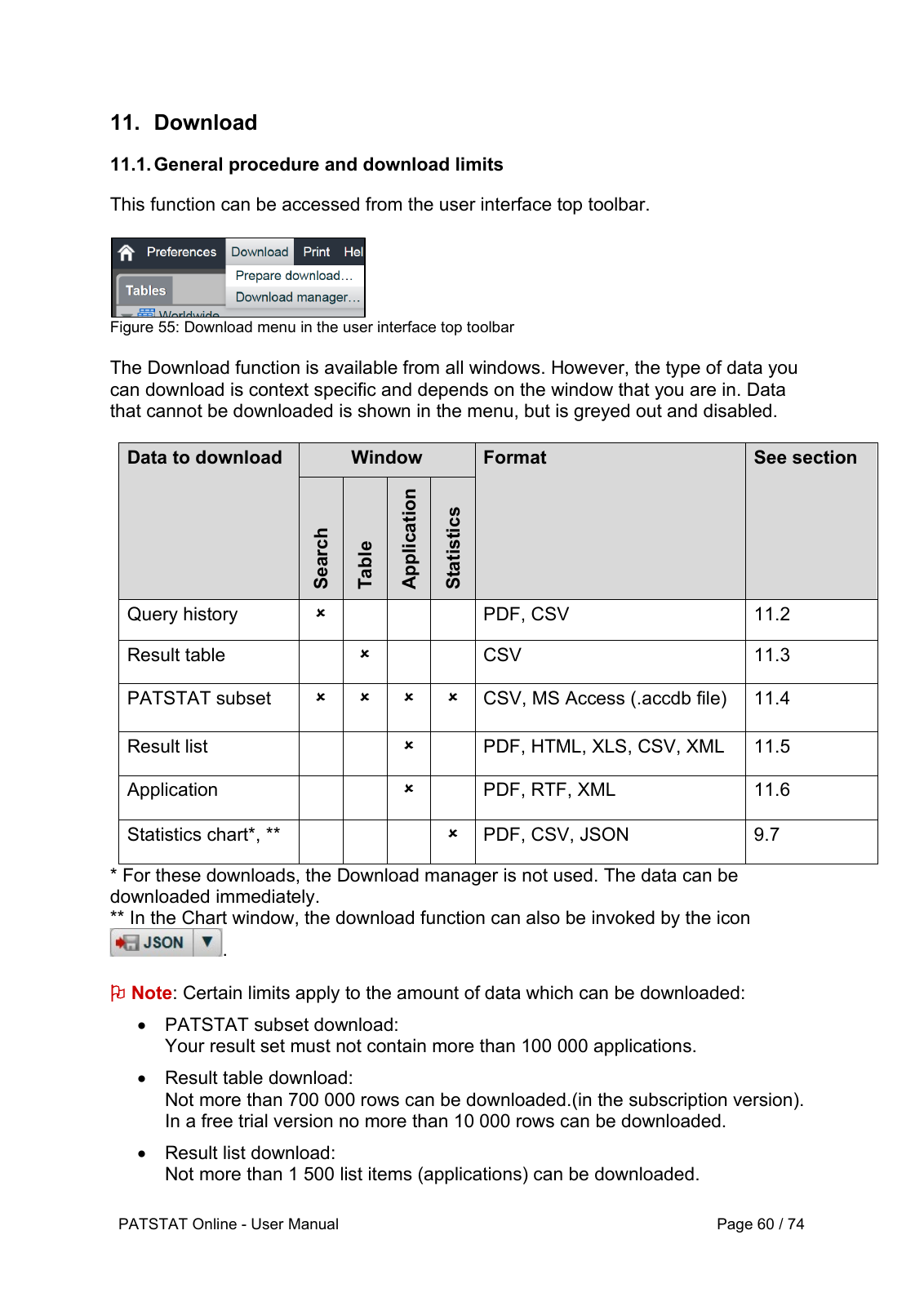
In the Table window, use Download → Prepare download, choose the result table, and retrieve the prepared file from the download manager. Check the limits displayed for your account. Do not confuse a result-table export with a PATSTAT subset export. The manual's download section distinguishes these routes.
Use my authorised PATSTAT Online browser session. Read the approved
keyword register and the data catalogue for the selected edition.
Generate SELECT-first SQL for the English title/abstract pilot above.
Do not use CONTAINS, FREETEXT or a leading WITH clause.
Run the 100-row pilot and check the fields and sample relevance.
After the pilot, prepare bounded date intervals for the approved
scope and use the supported result-table download controls.
Save SQL and unchanged exports under data/patstat/raw/.
Log edition, query, filing-date interval, query result count,
downloaded row count, completion status and file checksum.
Reconcile the completed intervals and unique appln_id values.
Preserve family IDs without collapsing families at collection time.
On a cost-limit error, narrow the query before retrying.
Stop on authentication challenges or access/export restrictions.
Never infer success solely from clicking the download button.
Finish with the approved patent keyword register, SQL files, downloaded result tables and a collection log. Verify file contents, identifiers and row counts. Keep empty abstracts as missing values and preserve the raw exports before any later cleaning.